Projects
Every app, site or idea you’re building. Move each one from Idea to Launched on a board.
Status · stack tags · repo & live links
Built for people shipping with AI
A project tracker for everything you build with AI tools, so you always know where you left off.
Create your first projectFree plan, no cardSet up in 30 seconds
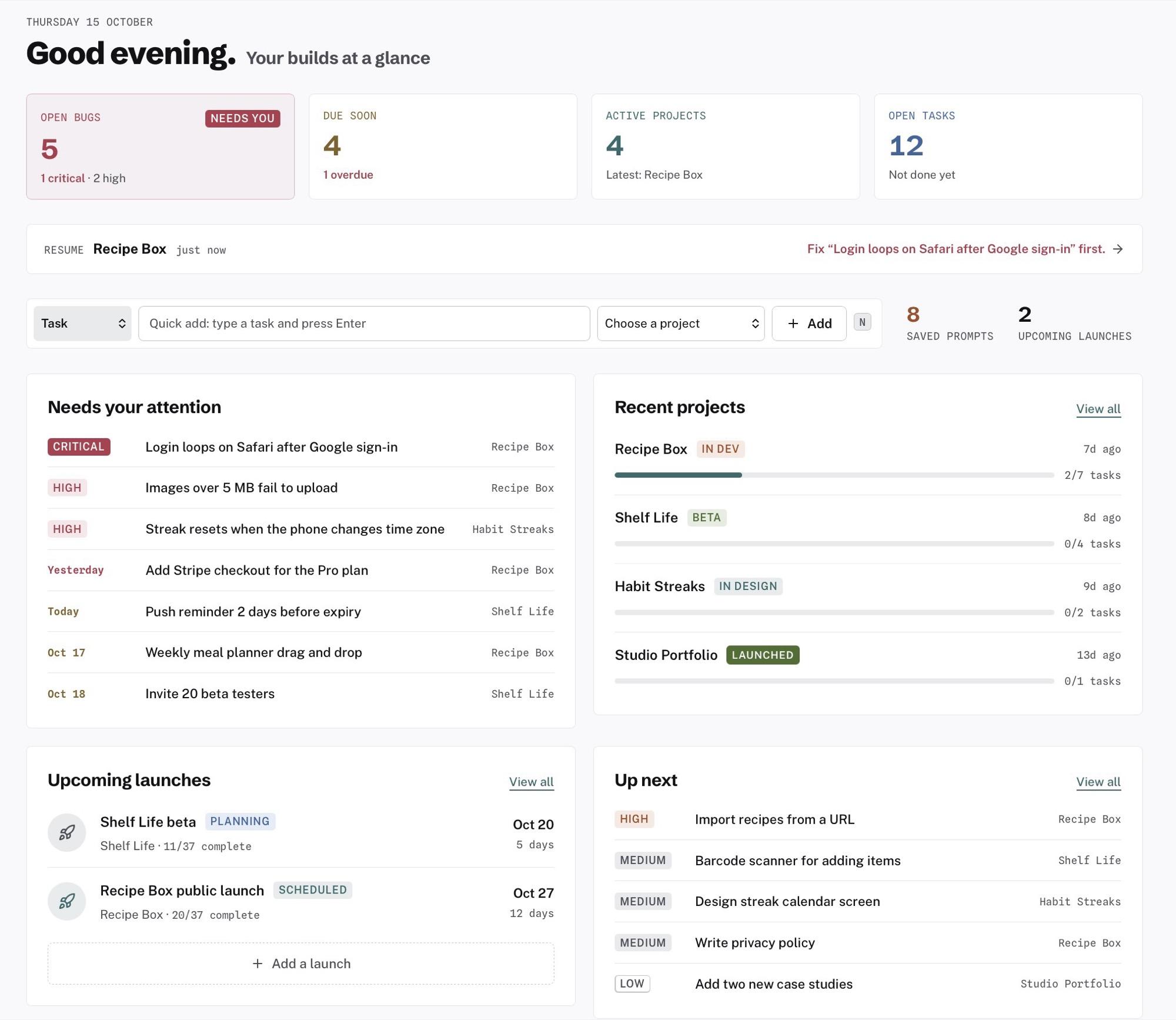
Come back after two days and you can’t remember which build was blocked, or why.
The prompt that finally worked is 400 messages up in a chat you already closed.
Tasks in one app, bugs in another, launch plan in your head. Nothing links up.
01 / What’s inside
Everything links back to a project, so a bug knows which app it belongs to and a prompt knows what it built.
Every app, site or idea you’re building. Move each one from Idea to Launched on a board.
Status · stack tags · repo & live links
Save the prompts that actually worked, tagged by tool. Copy in one click. The Prompt Optimizer makes them tighter.
Tool tags · favorites · optimizer
What you need to build next, for each project. Drag across a board or see it on a calendar.
Priority · due dates · kanban
What’s broken and what’s already fixed. Paste a screenshot, add repro steps, set severity.
Severity · screenshots · fix date
Plan the day you ship. Every launch comes with a 37-item checklist covering domain, security, legal, payments and QA.
Calendar · checklist · results
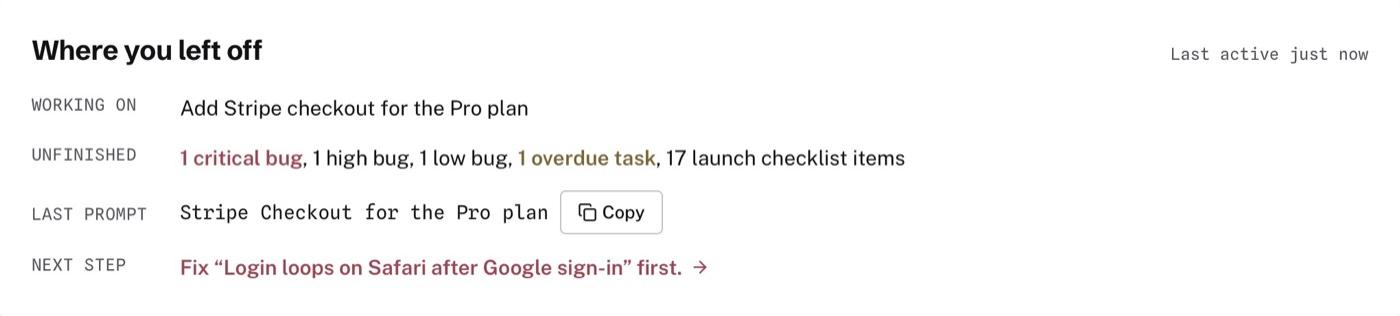
Come back after a day away and get a short note. It shows what you were doing, what’s still unfinished, your last prompt and your next step.
The part your AI tools forget
02 / How it works
What are you building? Which tools are you using? What’s next? About 30 seconds later you’re looking at your real project, with no product tour to sit through.
Keep working in your AI tool. When a prompt works, save it. When something breaks, log the bug. Quick-add and keyboard shortcuts keep each one to a few seconds.
Open a project after a day, a week or a month. Resume tells you what you were doing and what to fix first.
It’s not a plugin or an MCP, and there’s nothing to install in your editor. PromptStack is a web app where you keep the prompts, tasks, bugs and launches for what you build.
03 / Why not Notion?
Because Notion doesn’t know what you’re building. You do.
Every “AI project tracker” template out there is really just empty databases with your name on them. You still have to build the fields, wire up the relations and decide what a “task” even means for your workflow before you can actually use it.
PromptStack skips all of that. The moment you create a project, your tasks, prompts, bugs and launches are already connected to it. They aren’t five separate boards you have to remember to cross-reference.
It’s built for one specific job: keeping track of everything you’re building with AI coding tools. Not notes. Not wikis. Not a blank canvas you have to turn into a system before it’s useful.
Notion is a blank page. PromptStack is already set up for how you actually build.
| Feature | PromptStack | Notion | Scattered tabs & chats |
|---|---|---|---|
| Setup time | Ready in seconds | Hours building your own template | None (but that’s the problem) |
| Projects, tasks, bugs, launches connected | Built-in from day one | Only if you build the relations yourself | Never connected |
| Reusable prompt library | One-click copy, tagged by tool | Possible, but you’re building a prompt database from scratch | Buried 40 messages deep in a chat |
| Built for AI-assisted building | That’s the whole point | Generic: built for everything, tuned for nothing | Not a system at all |
| Cross-project overview | One dashboard, every project | Only if you built it that way | What overview? |
| Cost to get started | Free | Free (but your time isn’t) | Free (but your sanity isn’t) |
04 / Product tour
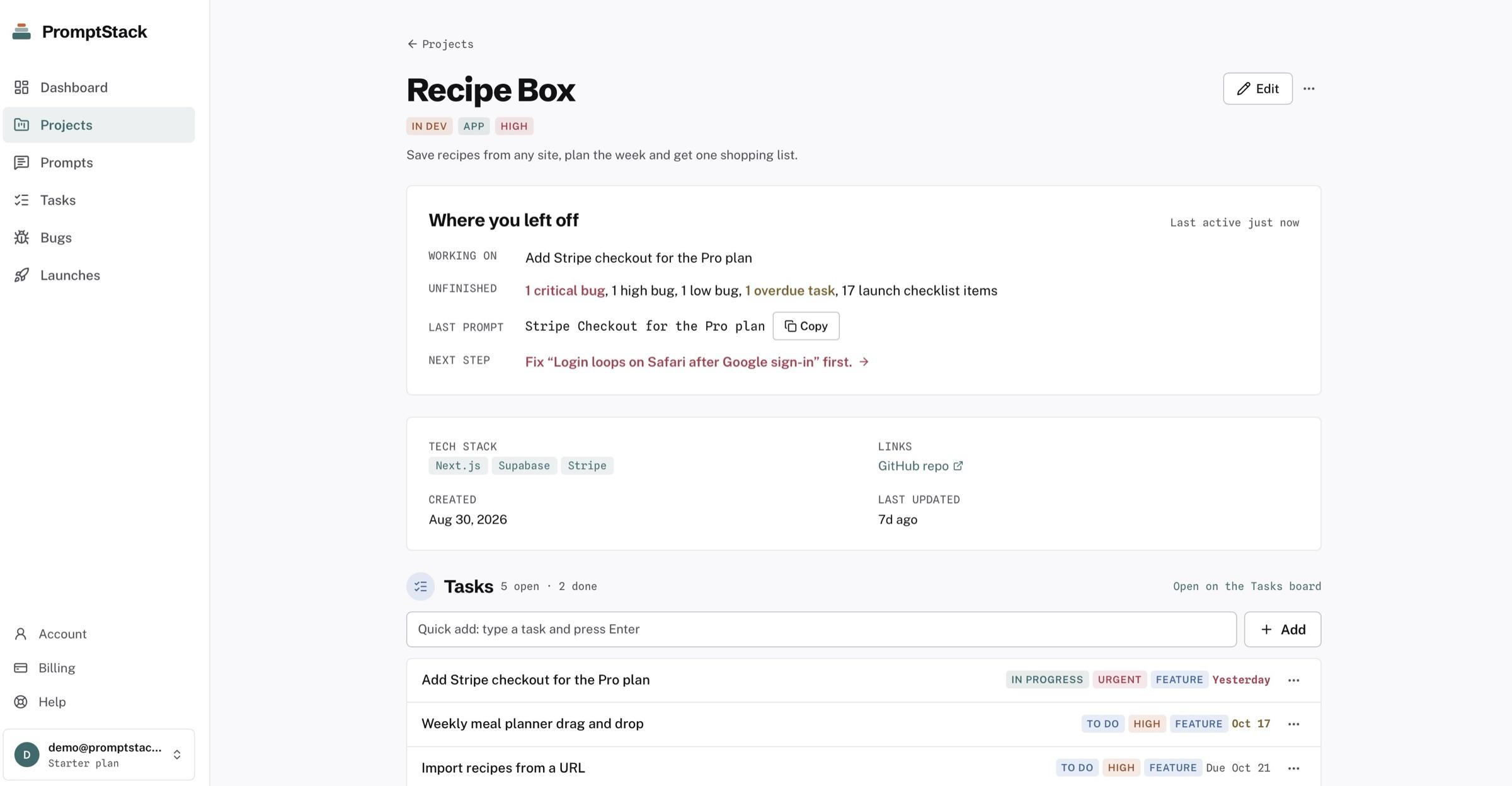
The screenshots below come from a real workspace with several projects on the go.
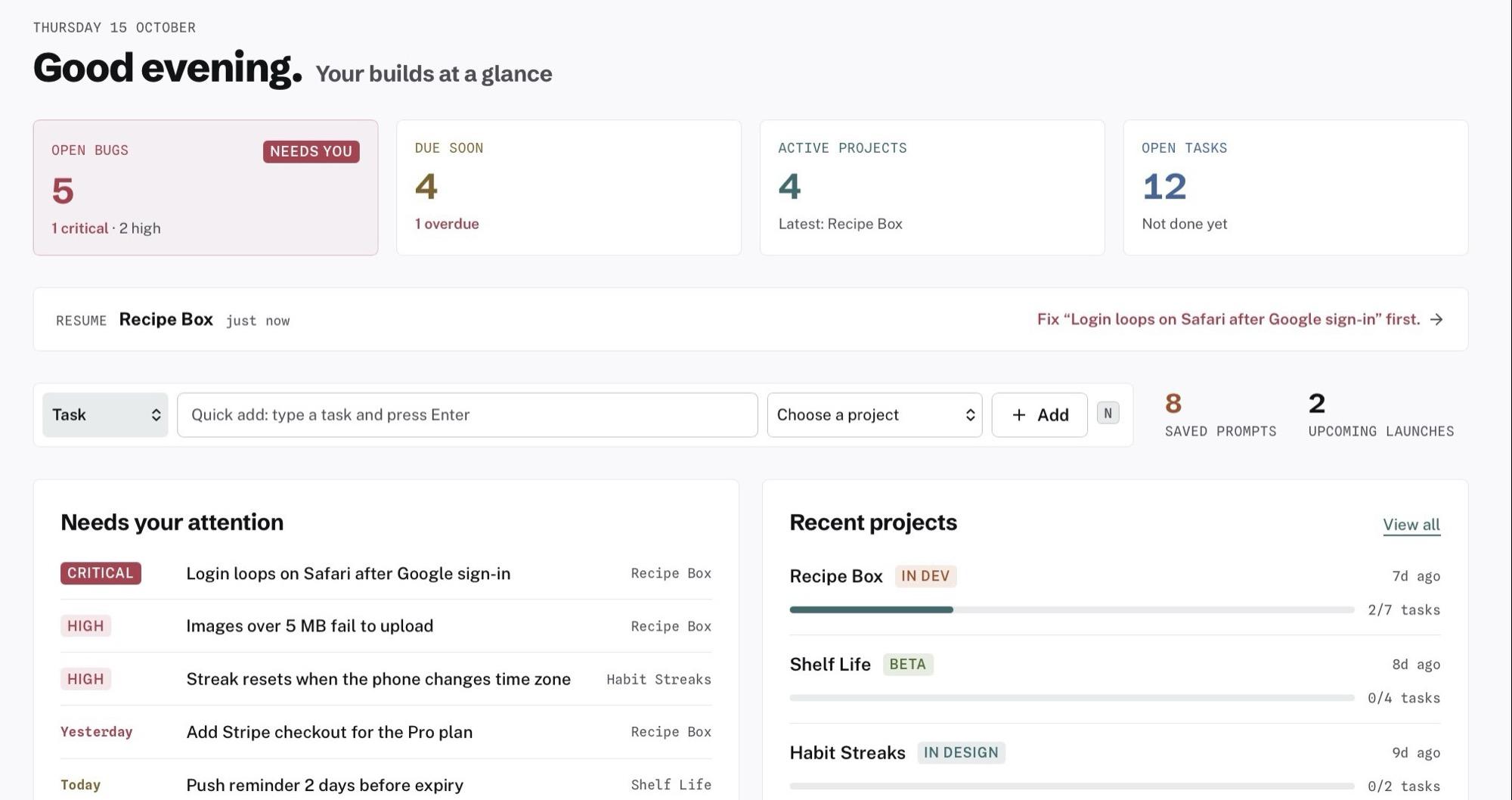
The most urgent thing sits top-left: critical bugs first, then overdue tasks.
A short note on what you were doing and what to do next.
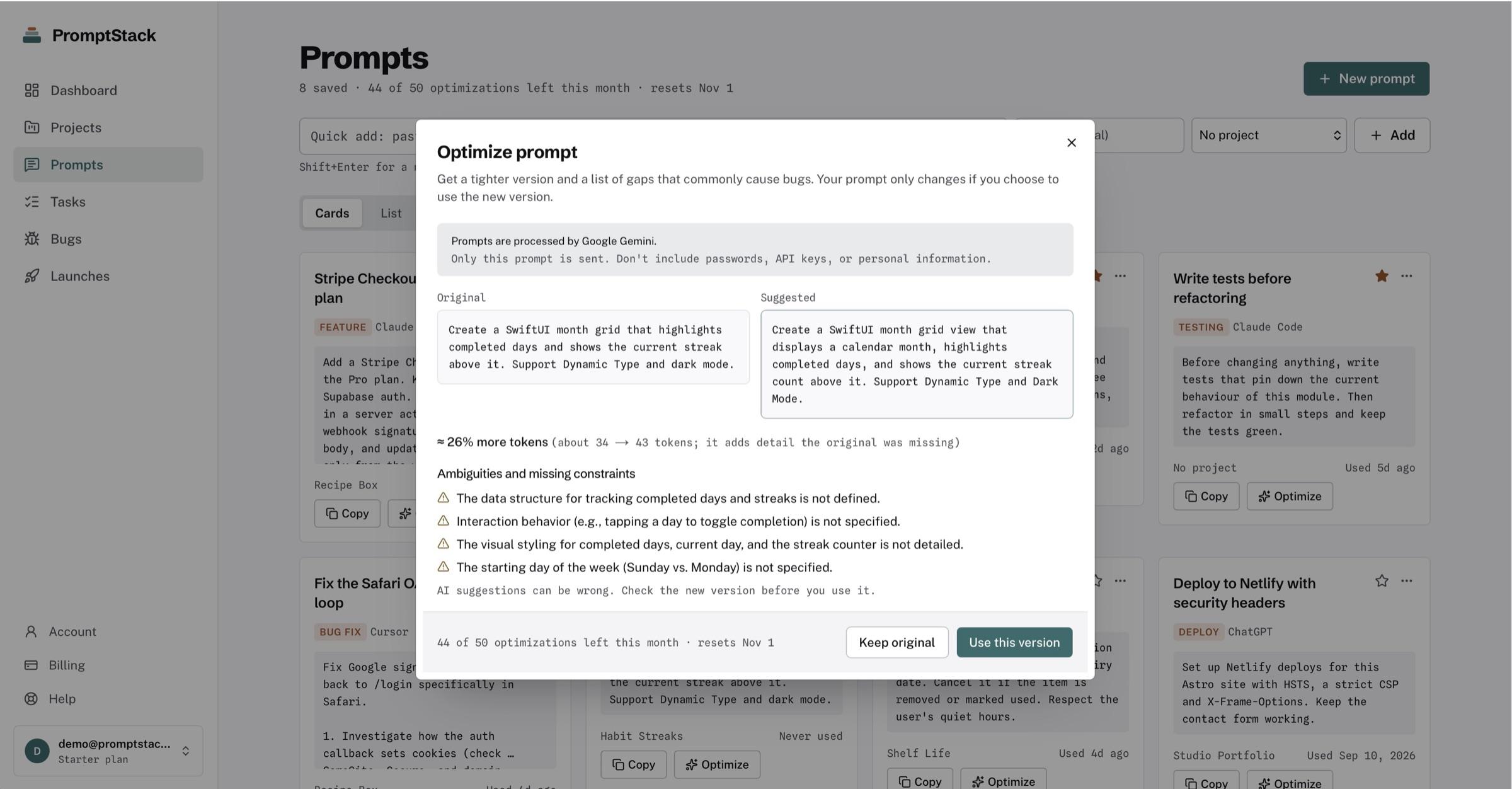
Prompts tagged by tool, one-click copy, and the Optimizer’s before/after view.
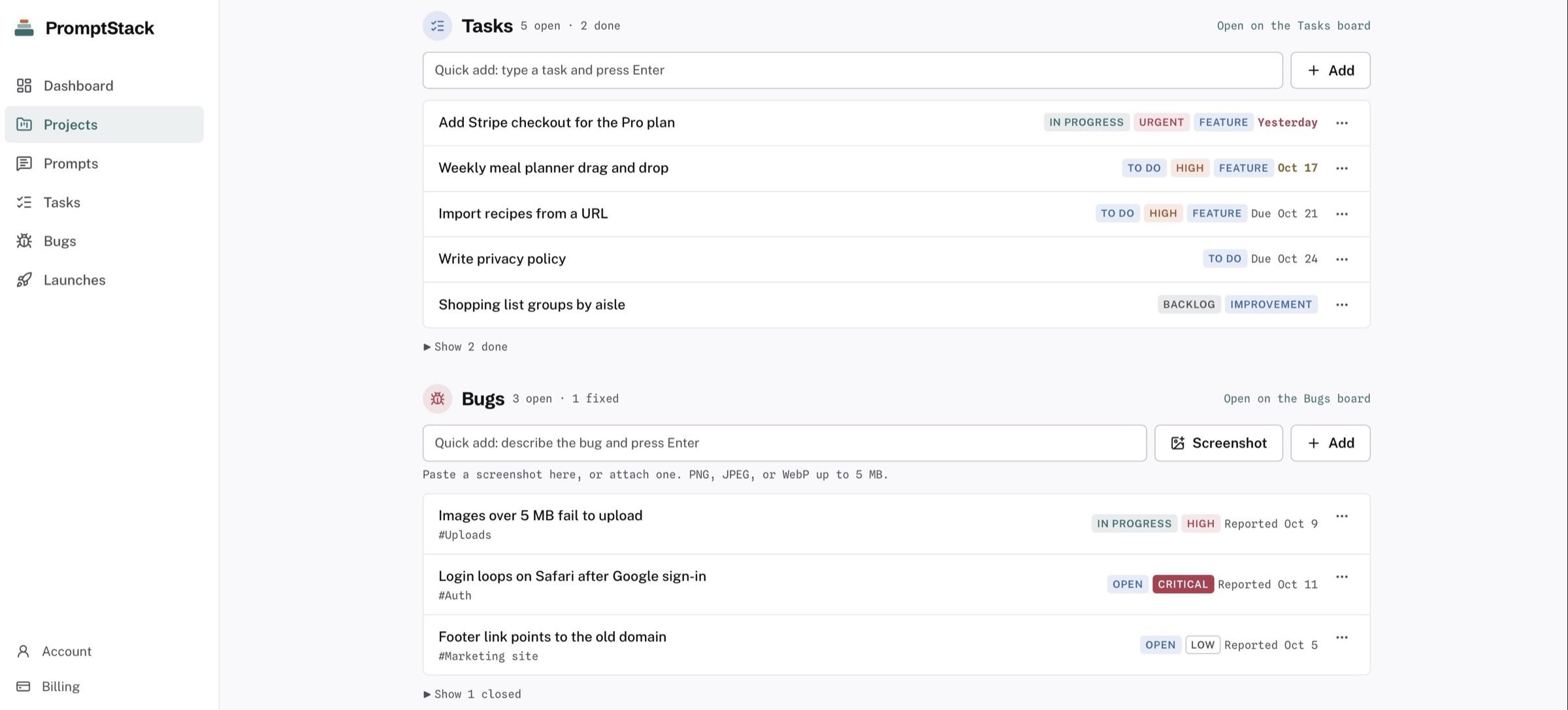
Every project’s tasks and bugs in one place, with priority and severity you can see at a glance.
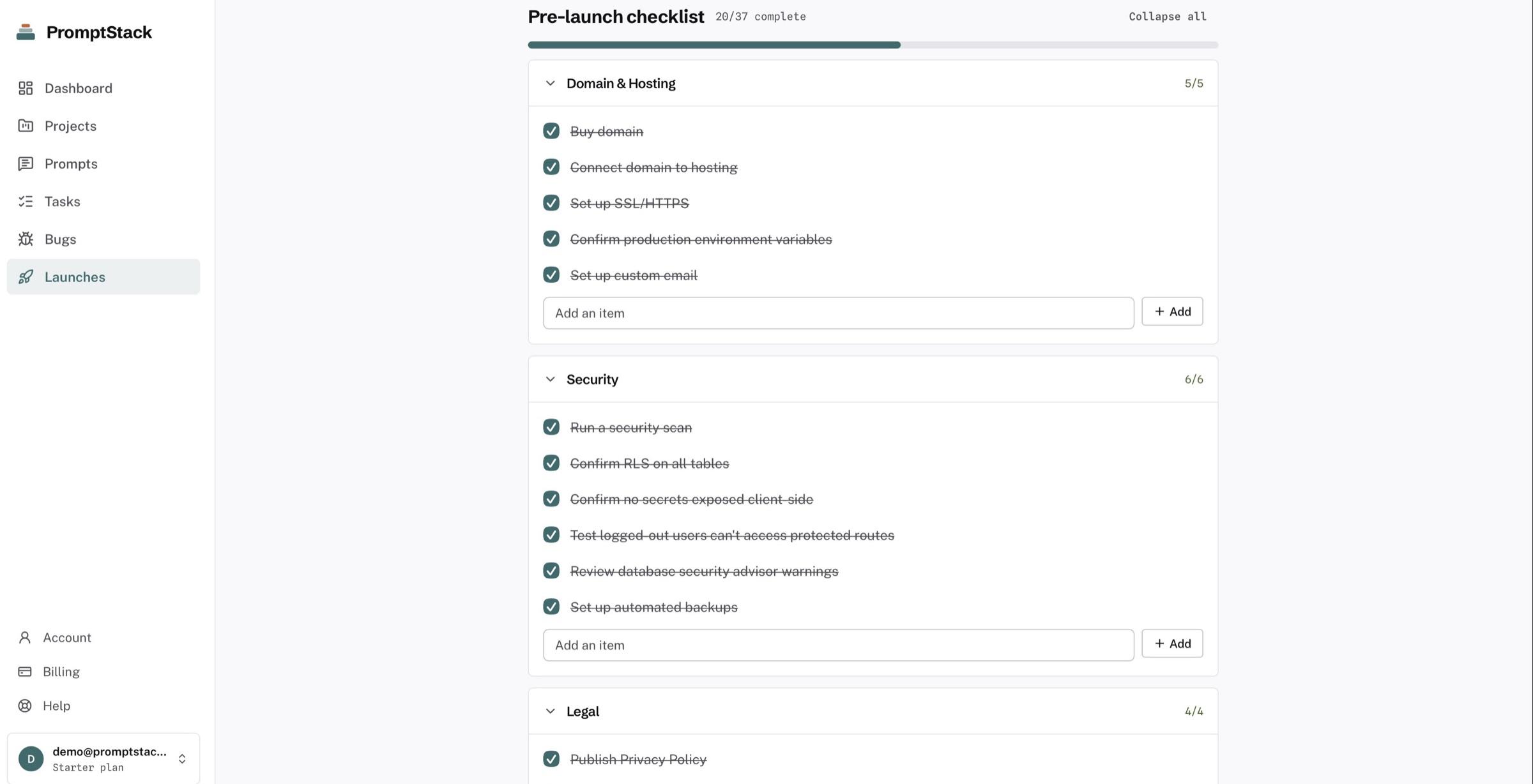
37 items grouped by area, with progress you can track to launch day.
05 / About
I build software with AI tools every day. Starting things was easy. Keeping track of them wasn’t. Prompts sat in old chats, bugs lived on sticky notes, and every time I came back to a project I had to work out where I’d stopped.
I built PromptStack for that. It’s deliberately small and opinionated, with no sprints, story points or setup. It’s just the place where your projects are waiting for you.
Renative Studiorenativestudio.com
06 / Pricing
No card to start. Cancel any time. Prices in US dollars.
Try it on a real project.
$0forever
Everything in PromptStack, with no limits.
$9USD / month
Everything in Starter, plus tools for designing what you build.
Waitlist
No. It doesn’t write code. It’s where you keep track of what you build with AI coding tools: the projects, the prompts that worked, the tasks, the bugs and the launches. You keep using Claude Code, Cursor, Bolt, Lovable or whatever you like.
No. PromptStack never touches your code. If you build with no-code or AI tools, it works the same way: projects, prompts, tasks, bugs and launches, all in plain language.
No. PromptStack is a web app. It isn’t a plugin or an MCP server, and it doesn’t need access to your code. Sign up, answer three questions and you’re in.
Yes. No card, no trial timer, and it doesn’t expire. You get 3 projects, 25 tasks, 5 prompts, up to 5 open bugs, Resume Project and export. Launches and the Prompt Optimizer come with Starter.
When you try to add more, you’ll see a clear upgrade screen. Everything you’ve already saved stays where it is.
Only the prompt you choose to optimize. Google Gemini processes it, and on Google’s free tier Google may use it to improve its products, so don’t optimize anything confidential. You see a before and after and decide whether to keep it. PromptStack never overwrites your prompt on its own.
Stripe handles payments, so PromptStack never sees your card details. Sign-in runs through Supabase, and your data is visible only to your account, with access enforced in the database itself. Your projects, tasks and bugs are never sent to an AI provider.
Yes. On every plan, including Free, you can export everything as Markdown and JSON at any time, from Settings → Account.
Yes. Cancel from your billing settings in a couple of clicks. You keep access until the end of the period you’ve paid for.
08 / Contact
I’m an indie designer and dev who reads every email. Reach out and I’ll get back to you as soon as I can.
Billing, a bug, an idea, or help getting started: it all goes to the same inbox.
Send an emailThree projects, 25 tasks and 5 prompts, free forever. That’s enough to see whether it fits how you work.